AI Resume Writer 2026: Beat ATS & Get Hired Fast
Learn how to use AI resume writers in 2026 to beat ATS screening, optimize keywords, and land more interviews. Includes formatting checklist and before/after examples.
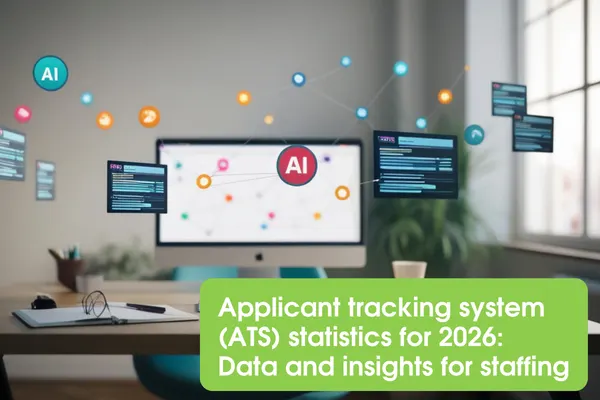
Your resume is being rejected by a machine before a single human ever sees it, and most job seekers have no idea it's happening.
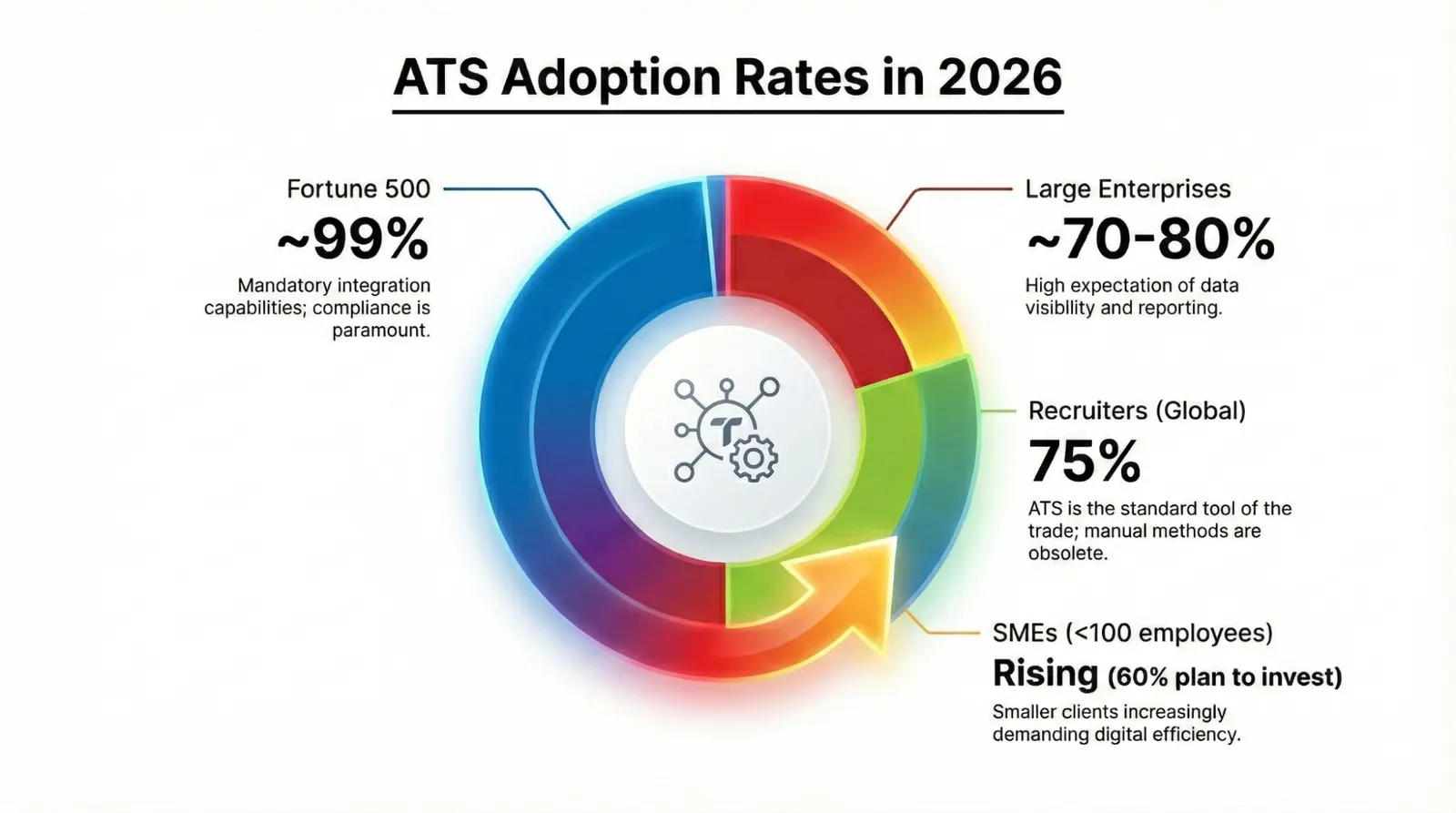
Here is the reality in 2026: 97.8% of Fortune 500 companies use an Applicant Tracking System (ATS), and research consistently shows that roughly 75% of resumes are filtered out before a recruiter ever sees them. That is not a worst-case scenario. That is the baseline. The good news is that AI resume writing tools have matured enough to meaningfully close that gap, if you know how to use them correctly. This article shows you exactly how to pair AI tools with smart strategy to write an ATS-beating resume and move faster through the hiring funnel in 2026.
Why standard resume advice is failing you in 2026
The old playbook (pick a clean template, list your jobs in reverse order, sprinkle in some action verbs) is no longer enough. The hiring landscape has shifted structurally.
ATS software is now layered with AI-assisted screening. According to SHRM, 67% of large companies (1,000+ employees) now use AI to review resumes, and 83% of companies plan to use it by end of 2026. These tools don't just match keywords. They evaluate context, relevance, and predicted job fit at scale. Meanwhile, the global ATS market is valued at $18.57 billion in 2026 and is growing at 8.2% annually, meaning this technology is only becoming more embedded in hiring pipelines. Small businesses are adopting it too: 60% of companies with fewer than 50 employees now use an ATS.
The average resume submitted without optimization scores below 40% on ATS compatibility, well under the 80% threshold recommended for a real shot at passing automated screening. That is the gap AI resume tools are designed to close. But a tool alone won't do it. You need to understand what the machine is reading, what it's looking for, and how to feed it what it needs.
How ATS actually reads your resume (the "what" and "why")
Before you touch any tool, internalize this: the ATS does not see your resume the way you do.
It doesn't render your layout. It reads your document as a linear stream of text, roughly top to bottom and left to right. Every formatting element that interrupts that linear flow (columns, tables, text boxes, graphics) creates parsing chaos. A two-column layout that looks polished in Word might cause 30-50% of your content to vanish inside the ATS. According to Jobscan's 2025 analysis, over 40% of resume rejections are caused by formatting problems, not missing qualifications. A perfectly skilled candidate gets screened out because their contact info lived in a document header the system silently ignored.
Modern AI-augmented ATS tools go further than keyword matching. They assess semantic relevance, meaning whether your experience actually aligns with what the job description is asking for, not just whether you used the same words. That's why stuffing a resume with keywords divorced from real context doesn't work. You need authentic, well-placed language that mirrors the job description while honestly representing your background.
The 80% rule: aim for an ATS compatibility score of 80% or higher when using optimization tools. Resumes at or above that threshold are significantly more likely to reach a human reviewer.
Step-by-step: how to use AI to write an ATS-ready resume in 2026
Step 1: Start with a clean, ATS-safe format
Before any AI tool can help you, your document structure has to be parseable. Use a single-column layout with standard section headings. Ditch the tables, columns, icons, and decorative elements entirely.
ATS-safe formatting rules:
- Fonts: Arial, Calibri, Cambria, Times New Roman, or Helvetica at 10-12 pt for body and 12-14 pt for headings
- Layout: one column, left-aligned text
- File type: PDF (ATS-friendly) unless the application specifically asks for .docx
- Section headers: use standard labels (Summary, Skills, Work Experience, Education, Certifications, Projects)
- Avoid: tables, text boxes, headers/footers for contact info, icons, images, graphics, custom fonts
Quick self-test: paste your resume into Notepad. If the text appears clean and readable, you're ATS-safe. If words are scrambled or missing, reformat before doing anything else.
Step 2: Collect the raw material before you prompt the AI
AI tools write better resumes when you give them better inputs. Before opening any tool, gather:
- Your full work history with job titles, company names, dates, and responsibilities
- Quantified results from each role (revenue generated, percentage improvements, team sizes, budgets managed)
- Certifications, tools, and technologies you've used
- The exact job description you're targeting, copied in full
The more specific your inputs, the more targeted and accurate the AI output. Vague prompts produce vague resumes.
Step 3: Use AI to generate a tailored professional summary
Your summary is the highest-value real estate on the page. An ATS reads it early; a recruiter reads it first. Use your AI tool to draft a two-to-three sentence summary that names your role, your strongest value, and one result that proves it.
Before (weak):
"Experienced marketing professional with a passion for driving results and building brands."
After (AI-assisted, ATS-optimized):
"Digital Marketing Manager with 7 years driving B2B lead generation for SaaS companies. Grew organic search traffic 140% at [Company] through SEO-led content strategy and reduced customer acquisition cost by 22%. Skilled in HubSpot, Google Analytics, and cross-functional campaign execution."
The after version uses specific language the ATS can match to a job description and gives a hiring manager an immediate reason to keep reading.
Step 4: Extract keywords from the job description, then weave them in
This is where AI earns its place. Tools like Jobscan, Teal, Kickresume, and Resume.io can analyze a job description and surface the keywords your resume is missing. Run your draft through one of these tools and look at the gap report.
Prioritize:
- Hard skills and tools named explicitly in the job description
- Job title variations (if the posting says "Software Engineer," use that exact phrase, not just "Developer")
- Industry-specific certifications mentioned in requirements
Place keywords naturally inside bullet points and your summary, not in a hidden keyword dump at the bottom. Modern AI-assisted ATS tools detect and penalize keyword stuffing.
Step 5: Rewrite your bullet points using the achievement formula
This is where most resumes fall flat. Responsibilities tell the ATS and the recruiter what you did. Achievements tell them how well you did it, and that's what separates screened-in candidates from everyone else.
Use this formula: Action verb + task or context + quantified result
Before:
"Responsible for managing the sales team and meeting targets."
After:
"Led a 12-person sales team to exceed quarterly revenue targets by 18% for three consecutive quarters, generating $4.2M in new business."
AI tools can help you rephrase weak bullets, but you have to supply the numbers. The tool can structure the sentence; only you know the real results.
Step 6: Run an ATS compatibility check
Once your AI-assisted draft is complete, run it through an ATS simulation tool. Jobscan, Resume Worded, and Teal all offer this. You're looking for:
- Keyword match rate against the target job description
- Parsing accuracy (does the tool read your sections correctly?)
- Format warnings (are columns, tables, or headers flagged?)
Target 80% or above on compatibility. If you're below that, go back to Steps 4 and 5 and close the gaps. The average optimized resume improves by 35+ points after proper keyword and format work, and that's the difference between invisible and shortlisted.
Step 7: Human-edit the output before you submit
AI resume tools produce drafts, not finished products. Before you send anything, read your resume out loud. Check that:
- Every claim is accurate and something you can defend in an interview
- The tone sounds like you, not like a robot explaining you
- Dates, job titles, and company names are correct
- There are no hallucinated achievements (AI tools sometimes invent specifics, so always verify)
A hiring manager who calls you in will probe every line. Make sure you own everything on the page.
How this changes for different job seekers
Recent graduates and entry-level candidates
You may not have a long work history, but your resume still needs to pass the same ATS filters. Focus on skills, projects, internships, and coursework that align with your target role. Use AI to identify the keywords for the roles you're targeting, then demonstrate those skills through academic projects, freelance work, or volunteer experience. A strong skills section and a targeted summary matter more when you're light on experience.
Career changers
Your job title history won't match the new field, and that's fine. Use your professional summary to bridge the gap explicitly. AI tools can help you identify transferable skills that map to the new industry's language. Your goal is to reframe your existing achievements in terms the new field values. A project manager moving into UX doesn't abandon their history; they rewrite it in product and user-centered language.
Mid-career and senior professionals
Your biggest ATS risk is over-formatting. Many senior professionals use executive resume templates loaded with design elements that destroy parseability. Strip the design back and keep the substance. A two-page resume is fine at this level, just make sure page one carries enough impact to earn the second page. AI tools are especially useful for trimming older experience down to relevant, keyword-rich summaries instead of detailed bullet lists.
Industry-specific considerations
- Tech roles: include a dedicated Technical Skills section with specific tools, languages, and frameworks. ATS systems for engineering roles often score heavily on exact-match tool names.
- Healthcare: certifications and licensure must appear clearly and match the exact credential abbreviations used in job descriptions (e.g., "RN," "BSN," "ACLS").
- Finance and accounting: CPA, CFA, and similar credentials should appear in both your summary and your credentials section for maximum ATS visibility.
Common mistakes that get you screened out
Putting contact info in the document header. Most ATS systems skip header and footer content entirely. Your phone number and email become invisible. Fix: place all contact details in the main body, below your name.
Using a two-column or table-based layout. Columns cause text scrambling. The ATS reads across both columns simultaneously and produces word salad. Fix: single column, always.
Using creative section headings. "My Journey" or "The Toolkit" mean nothing to an ATS. Fix: use standard labels such as Work Experience, Skills, Education, Certifications.
Submitting one generic resume for every application. ATS scores are job-description-specific. A resume that scores 80% for one role might score 45% for another. Fix: tailor each application using the job description's language.
Letting AI write the numbers. Tools will craft great sentences, but they can't know your actual results. Fix: always supply real metrics and verify every quantified claim.
Ignoring phone icons and custom fonts. A phone emoji or a downloaded display font often renders as "[NULL]" or garbled text in the ATS. Fix: use plain text contact labels and web-safe fonts only.
Your ATS-ready resume checklist for 2026
Use this before every submission:
Format
- Single-column layout, no tables or text boxes
- Web-safe font (Arial, Calibri, Cambria, Times New Roman) at 10-12 pt
- Contact info in the main body, not the document header or footer
- Standard section headings: Summary, Skills, Work Experience, Education, Certifications
- Saved as PDF (unless .docx is specifically requested)
- Passed the Notepad paste test, text reads cleanly
Content
- Professional summary names your role, value, and one quantified result
- Keywords from the job description appear naturally in summary and bullets
- Bullet points follow: Action verb + context + quantified result
- Hard skills and tools listed explicitly, matching job description language
- Certifications and credentials use exact abbreviations from the job posting
- No keyword stuffing; every keyword appears in a real context
Optimization
- ATS compatibility score of 80% or above (tested via Jobscan, Teal, or Resume Worded)
- Resume tailored to this specific job description, not a generic version
- All AI-generated content reviewed, verified, and edited for accuracy
- Read aloud; every line sounds like you and can be defended in an interview
Frequently asked questions
Can AI really write a resume that beats ATS in 2026? AI tools can dramatically improve your ATS score. Studies show proper optimization can boost compatibility by 35+ points. They work best as a drafting and keyword-analysis partner, not a replacement for your judgment. You still need to supply accurate information, real metrics, and a human edit pass. Think of the AI as a capable co-writer, not an autopilot.
Which file format should I use, PDF or Word (.docx)? PDF is generally the safer choice for ATS compatibility in 2026, as modern systems parse it reliably. Always check the job posting first, though: some older ATS platforms (particularly Taleo-based systems) handle .docx more cleanly. When the application doesn't specify, go with PDF.
How often should I tailor my resume for each job? Every single application. ATS compatibility scores are calculated against the specific job description, so the same resume can score 80% for one role and 45% for a similar one with different language. Tailoring doesn't mean rewriting from scratch. It means adjusting your summary and swapping or adding three to five keywords per application. AI tools make this fast.
Do I need a one-page or two-page resume in 2026? For most professionals with under 10 years of experience, one page remains the standard. Mid-career and senior professionals with substantive, relevant history can go to two pages, but page one must stand on its own. ATS systems don't penalize length; hiring managers do when the second page adds nothing new.
Will ATS penalize me if I use an AI-generated resume? ATS systems evaluate content and format. They don't detect whether a human or AI wrote the words. What matters is relevance, keyword alignment, and formatting quality. Where AI-generated resumes run into trouble is with vague, generic language that doesn't match specific job descriptions. Always personalize and fact-check AI output before submitting.
Editor's Picks
 News
News AI Layoffs 2026: Real Data, Safe Jobs & How to Upskill Fast
Jul 3, 2026
 Skills
 AI Literacy or AI Engineering: Which Skill Pays Off in 2026?
Jul 3, 2026
 Skills
 AI Skills on Your 2026 Resume: Before & After Examples That Work
Jul 3, 2026
 Resume
 ATS Resume Scoring in 2026: Beat Workday, Greenhouse & Taleo
Jul 3, 2026