LinkedIn Is Failing Your Job Search in 2026—Here's the Fix
LinkedIn's 2026 algorithm overhaul is quietly burying job seekers. Here's exactly what changed, why your old tactics don't work, and how to fix it fast.
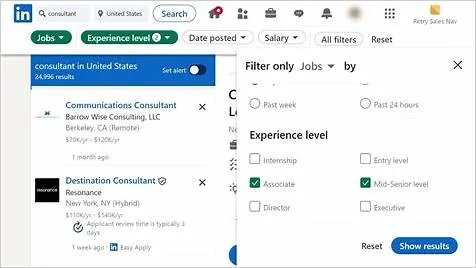
LinkedIn Is Failing Your Job Search in 2026, Here's the Fix
If you've been applying through LinkedIn and hearing nothing back, the platform isn't broken. Your approach just hasn't caught up with a wholesale overhaul that most job seekers still don't know happened.
LinkedIn is still the dominant recruiting network on the planet: 1.2 billion members, 89% of recruiters actively using it, and 6 people hired through it every single minute. But those headline numbers hide an ugly gap. Only 30% of LinkedIn users have ever landed a job through the site, and the platform's overall response rate sits at a dismal 3-13%. Something is clearly off between the promise and the reality. This article explains exactly what changed, who it's hitting hardest, and what you need to do differently starting today.
This guide is for active job seekers at any career stage who feel like LinkedIn has stopped working for them. By the end, you'll have a clear picture of the new algorithm, a concrete profile fix-up plan, and a repeatable weekly workflow that actually fits how the platform operates in 2026.
LinkedIn at a glance: what you're working with in 2026
| Factor | Reality in 2026 |
|---|---|
| Total members | 1.2 billion |
| Recruiters active on platform | 89% |
| Jobs searched weekly | 49 million people |
| Applications per second | 77 |
| Average InMail response rate | 10.3% |
| Overall platform response rate | 3-13% |
| Users who've landed jobs via LinkedIn | ~30% |
| Organic content reach change (2026) | Down ~50% |
| Best fit for | Mid-career professionals, corporate roles, B2B industries, networking-heavy job searches |
| Biggest limitation | High competition, low response rates, algorithm now penalizes mismatched or low-quality profiles |
The numbers make one thing clear: LinkedIn is a high-volume, high-competition environment. You don't win by showing up. You win by being findable and credible to the right people.
What actually broke: the 360Brew algorithm overhaul
This is the part most job seekers have missed entirely, and it explains why tactics that worked even 18 months ago are now producing nothing.
In late 2024, LinkedIn quietly replaced its entire content-ranking infrastructure. Instead of thousands of task-specific models (one for feed ranking, one for job recommendations, one for connection suggestions) LinkedIn now runs everything through a single unified AI system called 360Brew. It's a decoder-only transformer with 150 billion parameters, trained exclusively on LinkedIn's own data. Think of it as LinkedIn building its own GPT-style brain specifically tuned to how professionals behave on the platform.
The practical result is a fundamental shift from a Social Graph (who you're connected to) to an Interest Graph (what you demonstrably know and care about). In plain terms:
- Your profile now gates your content. Before 360Brew decides whether to distribute a post you write, it checks your profile. Your headline, About section, and listed experience act as credibility signals. If your profile is thin or mismatched, your posts go nowhere, even if the writing is excellent.
- Topic mismatch kills reach. If you post about supply chain logistics but your profile reads like a generalist marketing background, 360Brew flags the mismatch and limits distribution. Your expertise must be legible in your profile before you post on a topic.
- Saves beat likes. Analysis of over 3 million posts found that a save drives 5x more reach than a like, and 2x more reach than a comment. Saving signals that content has lasting value, and 360Brew treats it accordingly.
- Late engagement is now rewarded. Posts that receive saves and substantive comments 24-72 hours after publishing perform 4-6x better than posts that spike and die quickly. The old play of posting at peak hours and riding a 2-hour wave is dead.
- Organic reach is down hard. Across the board, 2026 has seen views drop roughly 50% and engagement drop 25% compared to pre-360Brew baselines. The platform is harder to grow on organically, which makes profile optimization even more important.
Two tactics you can officially retire:
- Hashtags. The algorithm now uses interest graphs to read the actual text of your posts. Stacking hashtags at the bottom does nothing useful.
- Hiding links in the first comment. You can now place external links directly in your post body without a significant visibility penalty. That workaround is obsolete.
The profile problem: why most LinkedIn profiles are algorithmically invisible
Before a recruiter ever reads a word you've written, an algorithm decides whether to show your profile at all. Most profiles don't make the cut. Not because the person is underqualified, but because the profile isn't structured to rank.
Here's how it works: recruiters don't scroll LinkedIn. They open LinkedIn Recruiter, type a job title and a few skills, apply filters, and get a ranked list. As of 2026, that ranking is powered by an LLM-based matching engine that scores keyword alignment, skills completeness, and activity signals before any human sees you. Early data suggests that recruiters using this AI assistant review 81% fewer profiles to build a shortlist, meaning if you don't rank high, you simply don't exist in that search.
The five profile fixes that move the needle
Rewrite your headline as a keyword statement, not a job title. "Marketing Manager at Acme Corp" tells LinkedIn's algorithm almost nothing. "B2B Content Marketing Manager | SaaS | Demand Generation | HubSpot" gives it everything it needs to match you to the right searches. Pack in the role, the niche, and two or three core skills, separated by pipes or commas for readability.
Fill in the Skills section deliberately, not exhaustively. LinkedIn's matching engine puts significant weight on your listed skills. Don't add 50 skills hoping something sticks. Add the 10-15 skills that appear most frequently in job descriptions for the exact roles you're targeting. Prioritize skills that can be endorsed or verified, since LinkedIn's algorithm now favors verified skills in rankings.
Write an About section that reads like a tight professional summary. Two to three short paragraphs. Open with what you do and who you do it for, follow with two or three results or accomplishments (quantified if possible), and close with what you're looking for. This section is indexed heavily by 360Brew for topic-to-profile matching. If it's vague or empty, your posts won't distribute and recruiters won't find you.
Set your Open to Work settings correctly. Use the "Share with recruiters only" option if you're in a sensitive situation. Specify exact job titles, using the same titles you see in real job postings, not aspirational titles that don't exist yet. LinkedIn's system matches your stated preferences to open roles, so precision here directly affects what you're surfaced for.
Complete your profile to "All-Star" status. LinkedIn's own data consistently shows that All-Star profiles receive significantly more recruiter views. The checklist: profile photo, headline, location, current position with description, at least two past positions, skills (minimum 5), and education. Every empty field is a ranking penalty.
Content strategy under 360Brew: how to post and what to say
If you want recruiters and hiring managers to come to you rather than just applying cold, a minimal content strategy is worth the effort. You don't need to post daily. You need to post strategically.
Post for saves, not likes
Structure every post around a concrete insight, a specific lesson, or a useful takeaway someone would want to bookmark. Numbered lists, contrarian takes backed by evidence, and "here's what I learned from [real experience]" posts consistently generate saves. "Excited to share that I just got certified in X!" posts do not.
Match your content to your profile expertise
Given how 360Brew cross-references your profile against your posts, stick to topics where your profile establishes authority. If you want to post about product management, make sure "product management" is visible in your headline, experience, and skills. Consistency between profile and content is the new ranking signal.
Engage substantively within the first 60-90 minutes
Early engagement still helps 360Brew decide whether to keep distributing a post, even though late engagement is rewarded over time. Reply to every comment thoughtfully. Ask a follow-up question. Turn the comment thread into a real conversation, because that signals quality to the algorithm.
Post 2-3 times per week, not daily
The 50% organic reach drop means volume alone won't save you. Focus on quality over frequency. Two well-crafted posts per week that earn saves will outperform seven mediocre daily updates every time.
Who LinkedIn works for, and who should supplement it
LinkedIn is your strongest platform if you are:
- A mid-career professional in a corporate, B2B, or knowledge-worker role
- Targeting companies with 50+ employees (enterprise and mid-market hiring is heavily LinkedIn-dependent)
- In industries like tech, finance, consulting, healthcare administration, marketing, or HR
- Actively building a network, not just applying to postings
- Comfortable creating a small amount of professional content
Supplement LinkedIn (or prioritize elsewhere) if you are:
- An entry-level candidate without 500+ connections. The platform's visibility mechanics work against you until you have a base built.
- In trades, hospitality, retail, or blue-collar industries (Indeed and niche boards will serve you better)
- Applying for government or academic roles (dedicated platforms like USAJOBS or Higher Ed Jobs are more effective)
- Sending applications more than two weeks after a posting goes live. At that point you're competing with hundreds of prior applicants, and response rates drop sharply.
The clearest signal that your old approach isn't working: if you're applying through the LinkedIn Easy Apply button repeatedly with zero customization and getting no responses, stop. The volume play does not work here. Quality and timing beat quantity, every time.
A real-world LinkedIn workflow that actually works in 2026
Use this sequence as your repeatable weekly process:
Audit your profile (one-time, 60 minutes). Fix your headline, rewrite your About section, add targeted skills, and verify you've hit All-Star status. This is the foundation everything else builds on.
Set up job alerts for 3-5 exact-match role titles. Use specific titles from real postings, not broad categories. Apply filters for date posted (last 24 hours or last week only) and company size. Speed matters, since most applications on active postings pile up in the first 24 hours.
Apply within the first 48 hours of a posting going live. Set your alerts to daily email notifications. When a match appears, review the posting, tailor your resume to the key skills and requirements listed, and apply the same day.
Find the hiring manager or a team member on LinkedIn. After applying, search for someone at the company in a relevant role. Send a short, specific connection request: mention the role, one concrete reason you're a fit, and a single genuine observation about their work or company. No copy-paste templates.
Post once or twice this week. Pick one insight from your professional experience (a lesson, a result, a tool you use and why). Write 150-300 words, structured around a takeaway someone would save. No hashtags needed; write clearly about your topic and let the algorithm categorize it.
Engage on 5-10 posts from people in your target companies or industries. Substantive comments, not "great post!", build your visibility in the right circles. This is how connections turn into warm introductions.
Track and iterate every two weeks. Note which posts got saves, which applications got responses, which connection requests were accepted. Double down on what's working.
Frequently asked questions
Is LinkedIn Premium worth it for job seekers in 2026?
It depends on how you use it. LinkedIn Premium Career gives you InMail credits, the ability to see who viewed your profile, and access to salary insights, all useful if you're actively reaching out to recruiters. The catch: even Premium InMail averages only a 10.3% response rate, so it's not a silver bullet. If your profile isn't optimized first, Premium won't save you. Start with a strong profile, then consider Premium if you're in an active, time-sensitive search.
Why am I getting profile views but no messages from recruiters?
Views without outreach usually signal one of two things: your profile is interesting enough to click but not specific enough to act on, or your listed job titles and skills don't match the roles recruiters are actually trying to fill. Revisit your headline and skills against the exact language in target job postings. Specificity converts views into conversations.
How many connections do I actually need for LinkedIn to work?
The platform's visibility mechanics shift meaningfully once you cross 500+ connections. Profiles at this level rank higher in recruiter searches and gain broader content distribution. If you're below that threshold, prioritize connection-building before heavy job applications. Alumni networks, former colleagues, and industry peers from events or online communities are your fastest paths there.
Should I apply through LinkedIn Easy Apply or go directly to the company website?
When possible, apply directly on the company's careers page after finding the job on LinkedIn. Easy Apply submissions often go into a higher-volume queue and may bypass the company's ATS entirely, meaning your application could land in a less-reviewed inbox. Apply on the company site, then send a LinkedIn connection request to the hiring manager or recruiter as a follow-up move.
Does the Open to Work green banner help or hurt?
The data leans toward neutral to slightly positive for most job seekers. Recruiters do filter for it. The only real risk is internal visibility if you're employed and your current employer uses LinkedIn Recruiter, though the "recruiters only" setting mitigates this. If you're in a confidential search, use the recruiter-only visibility setting. If you're openly searching, turn the banner on. It signals availability to people who are actively sourcing.
LinkedIn hasn't stopped working, but it has stopped rewarding passive, high-volume behavior. The fix isn't complicated: a profile that actually ranks, applications timed to beat the crowd, and a content habit designed for 360Brew's new signals. Make those three shifts, and the platform starts working the way the numbers always promised it could.
Editor's Picks
 News
News AI Layoffs 2026: Real Data, Safe Jobs & How to Upskill Fast
Jul 3, 2026
 Skills
 AI Literacy or AI Engineering: Which Skill Pays Off in 2026?
Jul 3, 2026
 Resume
 AI Resume Writer 2026: Beat ATS & Get Hired Fast
Jul 3, 2026
 Skills
 AI Skills on Your 2026 Resume: Before & After Examples That Work
Jul 3, 2026